
My Firestone
Firestone Complete Auto Care (FCAC)Auto & Vehicles
4.71.83K Reviews
- Version
- 7.3.0
- Installs
- 500.00K
- Age Rating
- Everyone
Screenshots
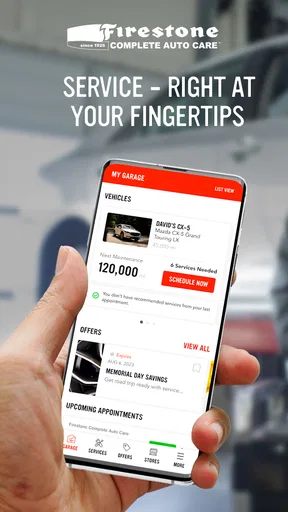
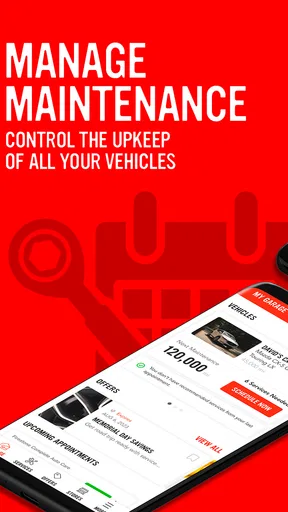
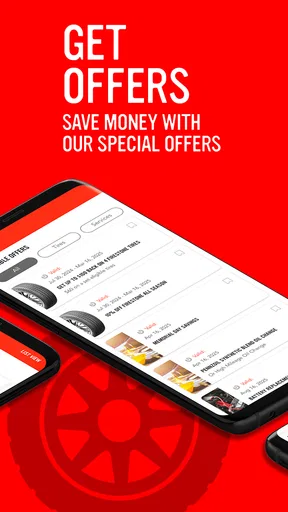
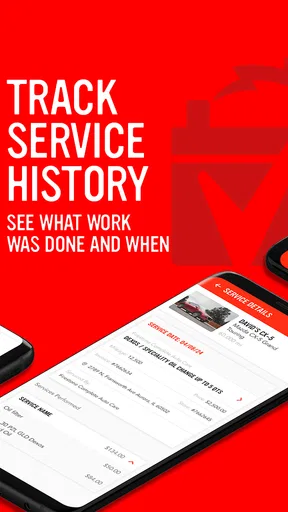
Our Review of My Firestone
 Analysis by Appyee
When a warning light appears or a routine service starts slipping through the cracks, the hardest part is often not understanding that the car needs attention. It is turning that concern into a practical next step. I tested My Firestone with that everyday problem in mind: starting with a vehicle that needs care, moving through the appointment process, and seeing whether the app actually reduces the work between noticing a problem and getting help.
My first impression is that this is a focused car maintenance app, not a general driving companion. It comes from Firestone Complete Auto Care, the developer behind the service network, and its purpose is closely tied to organizing visits, vehicle information, and the customer relationship around automotive care. That narrow focus is useful if Firestone is already the place you use, but it also defines the app’s limits.
The app is free, available to Everyone, and sits in the Auto & Vehicles category. It has reached over 500 thousand installs, with an average rating of 4.8 from around 16 thousand ratings. Those figures suggest that many users find the basic ownership workflow dependable, although a high rating should not be confused with a complete diagnostic tool. It is still primarily a service-management app.
From a vague car problem to a clear service task
The most realistic starting point is a familiar one: I notice that the car is pulling slightly, a tire looks low, or a maintenance reminder has been ignored for too long. In that moment, I do not necessarily need a technical encyclopedia. I need to know what to do next, where to go, and how to keep the visit from becoming another forgotten task.
That is where My Firestone makes sense. Rather than forcing me to search the web for a nearby location, open a separate map, and then contact a shop through another channel, the app brings the Firestone relationship into one place. The benefit is not dramatic automation; it is the reduction of small decisions that usually cause delays.
I found the app most useful when I approached it as a record-and-action tool. Before opening it, I would gather the information that affects the visit: which vehicle needs attention, what symptom I noticed, and whether the issue is urgent. A vague request such as “the car feels strange” may still require a conversation at the shop, while a clear note about a tire concern or scheduled maintenance gives the handoff a better starting point.
The important distinction is that My Firestone helps organize service, but it does not replace a mechanic’s inspection. It can make it easier to pursue care, yet it should not be treated as a remote diagnosis or as permission to keep driving when a vehicle may be unsafe.
Setting up the ownership side
The first useful stage is connecting the app with the vehicle and the customer account. This is the point where patience matters. Entering information carefully is worth the effort because a service workflow becomes much less helpful if the wrong vehicle is attached to the request or if an old vehicle remains mixed with the current one.
I recommend checking the vehicle details before moving on to appointment planning. If more than one car is associated with the account, pause and confirm which one is selected. That simple check is easy to skip when I am in a hurry, but it prevents the most avoidable kind of service confusion: preparing a visit around the wrong car.
This is also where the app feels different from a generic notes application. A note on my phone can record “rotate tires soon,” but it cannot provide the same service-oriented context. Conversely, the app is not as flexible as a full maintenance log designed for every brand and independent repair shop. The choice depends on whether I value Firestone-centered convenience over broad vehicle-history flexibility.
Moving from the vehicle to the appointment
Once the starting condition is clear, the next step is turning it into a visit. The app’s value here is practical: I can use the Firestone channel instead of beginning from a blank search page. For a routine task, that can make the process feel more direct, especially when I already know that I want Firestone to handle the work.
My advice is to decide what outcome I want before selecting a service path. A tire concern, a routine check, and a more general inspection are not the same request. Choosing the closest-sounding option without thinking about the actual symptom can create a weak handoff. The app can help start the conversation, but the quality of the information I provide still affects what happens next.
Location is another practical consideration. A nearby store may be convenient, but convenience is not always the same as availability or suitability. If I am traveling, managing more than one vehicle, or trying to coordinate a visit around work, I would verify the selected location and appointment details rather than assuming the first option is automatically the best one.
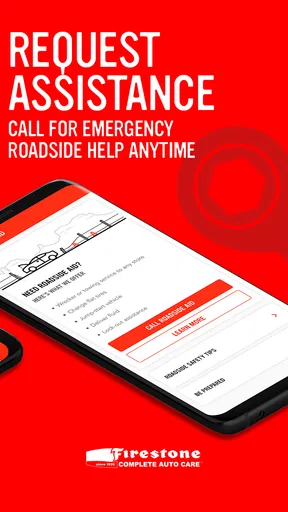
The workflow is strongest for planned maintenance. It gives me time to choose the vehicle, describe the reason for the visit, and prepare any questions. It is less reassuring for a sudden mechanical problem where I need immediate roadside help, a precise diagnosis, or a repair provider outside the Firestone network.
What happens at the handoff
The handoff from app to shop is the part I pay closest attention to. Digital convenience can create the illusion that the job is already understood, but the technician still needs to inspect the vehicle and confirm the work. I would treat the app’s submission or appointment flow as the beginning of the service conversation, not its final word.
For a smoother visit, I would arrive ready to repeat the important details in plain language: when the problem began, whether it changes with speed, and whether any warning appeared. I would also keep the selected vehicle and location in mind. That may sound obvious, but it is exactly the kind of information that gets lost when an appointment is made quickly from a phone.
This handoff is one of the app’s genuine strengths. It gives the customer a structured starting point instead of relying entirely on memory. It can also make the process more comfortable for someone who dislikes making service calls. Still, the app cannot guarantee that the store will interpret a symptom exactly as I do, and it cannot remove the need to approve or discuss work after inspection.
For that reason, I would not use the app as a substitute for asking questions at the counter. If a recommendation seems unclear, I would ask what was found, what needs attention first, and what can safely wait. My Firestone may organize the visit, but informed decisions still happen through the customer-and-technician conversation.
After the visit: turning service into a repeatable habit
The best outcome is not simply getting through one appointment. It is making the next maintenance decision easier. A service-focused app is more valuable when it helps me remember the relationship between the vehicle and the shop instead of treating every visit as a completely new event.
I found that the app fits naturally into a simple routine. After leaving the shop, I would note what was completed in my own broader vehicle records, keep an eye on the behavior that caused concern, and use the app again when the next planned task approaches. This two-layer approach is useful because the Firestone app handles the Firestone connection, while a separate personal record can preserve information useful at other repair facilities.
That trade-off is easy to overlook. If I use only one branded service app, my history may become less convenient if I later switch to an independent mechanic, move to another area, or buy a different vehicle. My Firestone is therefore most valuable as an active service companion, not necessarily as the only long-term archive a car owner should maintain.
For households with a shared vehicle, the workflow can also reduce uncertainty. One person may notice a problem while another handles the appointment. In that situation, the app provides a common place to begin, but the family should still agree on the symptom and the desired outcome before booking. A digital record cannot resolve unclear communication between drivers.
A realistic everyday scenario
Imagine I am preparing for a weekend drive and notice that one tire looks lower than the others. I would first avoid assuming that the app can tell me whether the tire is safe. I would check the situation responsibly, follow the vehicle maker’s guidance, and decide whether the car should be driven at all. If it is appropriate to arrange service, I would open My Firestone, confirm the correct vehicle, choose the relevant Firestone location, and start the service process with the tire concern clearly described.
Before the visit, I would write down when I noticed the issue and whether the tire pressure changed again after being adjusted. At the shop, I would explain those observations rather than relying on the appointment entry alone. After inspection, I would ask whether the cause was identified and whether any additional work was recommended immediately.
In this scenario, the app’s contribution is modest but meaningful. It helps me move from “something may be wrong” to “I have a service path and a selected location.” It does not tell me whether the tire has a puncture, whether a wheel is damaged, or whether the car is safe to drive. That division of responsibility is exactly why I would use it alongside sensible safety judgment rather than instead of it.
Where the workflow breaks down
The first friction point is brand dependence. If I prefer an independent garage, a dealership, or a different tire chain, the app’s usefulness naturally falls. A general maintenance tracker may be a better choice for someone who wants one neutral system covering several providers, receipts, fuel records, and repairs from different locations.
The second limitation is the boundary between scheduling and diagnosis. A person who downloads the app hoping to identify an engine noise, interpret a warning light, or receive detailed repair instructions may be disappointed. My Firestone can support the route to professional service, but it is not designed to replace inspection equipment or expert judgment.
The third issue is that digital flow does not eliminate real-world availability. A convenient in-app path may still lead to a visit that requires discussion, clarification, or a different timing arrangement. I would always review the appointment details and avoid assuming that selecting a service means every part of the repair has already been agreed.
There is also a human-factor limitation: the app is only as accurate as the information I attach to the vehicle and the request. If I skip verification, choose the wrong location, or describe a serious symptom too casually, the polished interface cannot correct the mistake by itself. The most useful habit is to slow down for the few seconds needed to check the vehicle and service reason.
Who should use it, and who should choose something else?
I would recommend My Firestone to drivers who already use Firestone Complete Auto Care, want a simpler way to begin service-related tasks, and prefer handling routine planning from a phone. It is especially practical for people who dislike phone calls, tend to postpone maintenance, or manage a vehicle that is shared with another household member.
It also suits drivers who want a direct connection to a Firestone location rather than comparing every repair provider in an area. The app’s focused design is an advantage when the decision is already “I want Firestone,” because it removes unnecessary searching and keeps the workflow centered on that choice.
I would be more cautious about recommending it to owners who maintain several vehicles across different brands and service providers. They may get more value from a neutral maintenance log with broader record-keeping. I would also point someone elsewhere if their main need is roadside assistance, deep troubleshooting, trip planning, fuel tracking, or a complete digital glovebox.
The age rating of Everyone makes it approachable for a broad audience, but that does not mean every automotive situation is simple enough for a casual app workflow. A new driver can use it to organize a service visit, yet should still involve an experienced adult or technician when the vehicle problem affects safety.
Version, cost, and the practical value of installing it
My Firestone is free, which removes the main barrier to trying it if Firestone is already part of my maintenance routine. The current version is 7.2.1, and the app has been available since February 27, 2012. That long presence helps explain why it feels like an established service companion rather than a newly launched experiment.
Because the minimum operating-system requirement is version 10, I would check the device before planning around the app. For someone using an older phone, that requirement can become more important than the feature set itself. If installation is not practical, the usual alternatives remain available: contacting a store directly, using a browser, or keeping a personal maintenance record.
The free price is most persuasive when it saves repeated effort. If I rarely visit Firestone and already have a reliable independent mechanic, installing another service app may add little. If I regularly need Firestone for tires or maintenance, the convenience can justify keeping it available, particularly when a small issue needs to become a scheduled action instead of an item I forget.
My overall view is positive, but deliberately narrow. I would not describe My Firestone as a complete car-management system. I would describe it as a useful bridge between noticing a maintenance need and starting a Firestone service workflow. Its strongest result is reduced friction at the beginning and better preparation for the handoff to the shop.
After using it through that lens, I think the decision is straightforward. Choose it if Firestone is your preferred provider and you want a free, phone-based way to keep service tasks moving. Skip it if you need provider-neutral records, emergency diagnosis, or a broad collection of driving tools. For the right driver, the app earns its place by making the next maintenance step easier to take, while leaving the inspection, explanation, and final repair decision where they belong: with the customer and the automotive professional.
In short, My Firestone is a practical Auto & Vehicles app from Firestone Complete Auto Care that works best when the desired outcome is clear: connect the right vehicle to the right Firestone service path, arrive prepared, and follow through. It does not remove every point of friction, but it can turn a vague maintenance worry into an organized next step without charging for the app itself.
Privacy and Permissions
See what permissions an app requests and how it handles your data.
- Location
- approximate location (network-based), precise location (GPS and network-based)
- Wi-Fi connection information
- view Wi-Fi connections
- Other
- view network connections, full network access, control Near Field Communication, run at startup, prevent device from sleeping
Verdict
Strengths of My Firestone
- Quick access to Firestone services, offers, and account information.
- Useful tools help users locate nearby stores and check operating details.
- Appointment features can make booking vehicle services more convenient.
- Digital promotions may help reduce the cost of eligible purchases.
- Clean layout makes common maintenance tasks easy to find.
Limitations of My Firestone
- Some features may require a Firestone account or personal information.
- Service availability and pricing can vary by location.
- The app’s usefulness is limited outside Firestone service areas.
- Promotional content may feel excessive for users seeking only basic tools.
- Performance and loading times may depend on your device and connection.
Other Releases by Firestone Complete Auto Care (FCAC)
View All
Tires Plus
Auto & Vehicles4.7
Similar Picks in This Category
View All
Android Auto
Google LLC4.1

maxim — order a taxi & food
PT. SITO4.7

Штрафы ГИБДД: проверка с фото
Pays LLC – Штрафы ГИБДД4.7

Номерограм – проверка авто
Авто Ассист4.8

Дром Авто
Дром4.9

Frequently Asked Questions
What is My Firestone, and what can I use it for?
My Firestone is the official mobile app from Firestone that helps you manage tire and vehicle-related services from your phone. After entering your vehicle details or account information, you can look up suitable tires, find nearby Firestone locations, request or schedule service, and review relevant offers. It is mainly designed for drivers who want a convenient way to handle routine maintenance and tire needs.
Can I schedule a tire or vehicle service through My Firestone?
Yes, the app is intended to make booking Firestone services more convenient. Depending on your location, vehicle, and the services offered by a selected store, you may be able to choose a location, select an available appointment time, and provide details about the work required. Availability can vary, so the final appointment options may differ between stores and may change during busy periods.
Does My Firestone help me choose the right tires for my vehicle?
My Firestone can help you search for tires by entering information such as your vehicle make, model, year, and trim, or by using existing vehicle details in your account. The results can include compatible tire options and information useful for comparing products. However, fitment tools should be treated as guidance; checking the vehicle manual or confirming the recommendation with a Firestone professional is still advisable.
Is My Firestone free to download and use?
The My Firestone app is generally available to download without an upfront charge, although normal mobile data usage may apply. Some products, services, or appointments shown in the app involve payment, and prices can depend on the selected tire, location, labor, taxes, and any applicable promotions. Before confirming a purchase or service, review the displayed estimate and store terms carefully.
Do I need a My Firestone account to use the app?
Some features may be available without signing in, such as browsing general information, searching for locations, or exploring tire options. Creating or using an account can provide a more personalized experience, including saved vehicle details, appointment management, purchase information, or access to account-related offers. The exact requirements may vary by feature, region, and the version of the application installed on your device.
